
Download Ecz Solutions – Zambian students, ECZ past papers, exam preparation, study materials, secondary education, online learning, free education app
Overview
Ecz Solutions is a desktop-based educational platform developed by BinaryWorld.ltd, designed specifically for junior and senior secondary school students in Zambia. The software serves as a centralized digital hub for accessing a wide range of academic resources, including past exam questions, model solutions, syllabi, textbooks, and supplementary study materials. Its primary purpose is to support exam preparation and reinforce subject mastery through structured, topic-based content. The platform aims to enhance learning efficiency by enabling students to study at their own pace, regardless of location or internet availability.
Target users include secondary school learners across Zambia who are preparing for national examinations administered by the Examination Council of Zambia (ECZ). The tool is particularly beneficial for students in remote or underserved areas with limited access to private tutoring or physical study resources. While the platform is not officially affiliated with the ECZ, its content has been aligned with the council’s curriculum guidelines. Real-world usage scenarios include self-paced revision, topic-specific practice, and performance evaluation through simulated exam questions.
As a free application, Ecz Solutions promotes equitable access to quality educational tools, reducing financial barriers to academic success. The developer did not provide additional details about the organization’s background beyond its name. The software supports both Windows and Mac operating systems, offering broad accessibility across common desktop environments.
Key Features & Capabilities
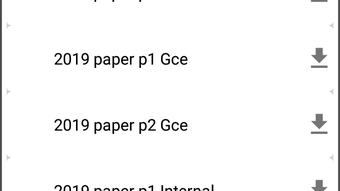
- Access to ECZ Past Papers: Users can browse and review previous exam questions and official solutions across core subjects such as Mathematics, Science, Social Studies, and Civic Education.
- Subject-Based Content Organization: Study materials are categorized by subject and topic, enabling efficient navigation and targeted learning.
- Offline Mode Support: Learners can download content for offline access, making it suitable for use in areas with inconsistent internet connectivity.
- Comprehensive Study Resources: In addition to past papers, the platform provides syllabi, textbooks, lecture videos, and pamphlets to support diverse learning styles.
- Self-Paced Learning Environment: Students can review materials at their own speed, revisit difficult topics, and track their progress without time constraints.
These features collectively empower students to identify knowledge gaps, reinforce understanding, and build confidence ahead of formal assessments. For instance, a student preparing for the Senior Secondary Certificate Examination can use the platform to practice Mathematics problems from past papers, review detailed solutions, and then access related textbook excerpts for deeper context. The ability to download materials ensures continued study even without an active internet connection, a critical advantage for users in rural or low-connectivity regions.
User Interface, Workflow & Performance
The user interface of Ecz Solutions is structured to prioritize clarity and ease of navigation. The layout features a clean, minimal design with clearly labeled menus and categorized content sections. Users can access subjects from a main dashboard, drill down into specific topics, and retrieve relevant materials with minimal clicks. The workflow is linear and intuitive, supporting a seamless transition from content discovery to study session initiation.
Navigation is optimized for desktop use, with responsive controls and accessible search functionality. The software does not require advanced technical skills, making it accessible to students with varying levels of digital literacy. The developer did not specify resource usage details, so exact performance behavior in terms of CPU or RAM consumption remains unknown. However, based on general software behavior patterns, the application is expected to operate smoothly on modern desktop systems.
Stability and responsiveness appear to be prioritized, as the platform supports both online and offline modes without reported disruptions. The developer did not provide information on crash frequency, update intervals, or background processes. Users may experience minor delays when loading large media files, though this is typical for educational applications with rich content.
Compatibility & System Requirements
Ecz Solutions is compatible with both Windows and Mac operating systems, as specified in the provided information. The software is available in version 1.0 and has a file size of 150 MB, indicating a lightweight installation that should not strain storage on most desktop devices. The developer did not provide detailed system requirements, such as minimum processor speed, RAM, or disk space beyond the total size.
Exact hardware requirements were not listed, so users are advised to ensure their systems meet general standards for running desktop applications. The software does not require specialized drivers or additional software dependencies. Compatibility information was partially provided, and users should verify functionality on their specific devices, particularly if using older or less common system configurations.
Pros and Cons
Pros
- Free to download and use, promoting accessibility for all Zambian students.
- Comprehensive collection of ECZ past papers and solutions.
- Supports offline learning, ideal for remote or low-connectivity areas.
- Organized content by subject and topic for efficient navigation.
- Multi-format resources including text, videos, and downloadable materials.
Cons
- Content availability may vary; some topics could be removed due to copyright concerns.
- Not officially affiliated with the Examination Council of Zambia.
- Exact performance and system requirements were not specified.
- Limited information on update frequency and long-term support.
- May lack real-time feedback or adaptive learning features.
FAQ Section
Is Ecz Solutions available for both Windows and Mac?
Yes, the software is compatible with both Windows and Mac operating systems as stated by the developer.
Can I use Ecz Solutions offline?
Yes, the platform supports offline access. Users can download content for use without an internet connection.
Is Ecz Solutions safe to download and install?
As a free educational tool developed by BinaryWorld.ltd, the software is intended to be secure. Users should ensure they download from official sources to avoid unauthorized versions.
Does Ecz Solutions require a subscription or payment?
No, the software is completely free to download and use. There are no hidden fees or subscription models.
How often is Ecz Solutions updated?
The developer did not specify the update schedule. Users are advised to check for new versions manually or through official channels.
Final Thoughts + CTA
Ecz Solutions stands out as a practical and accessible tool for secondary school students in Zambia preparing for national exams. Its focus on real, curriculum-aligned content—particularly past papers and solutions—makes it a valuable supplement to classroom learning. The ability to study offline and access diverse materials enhances its utility across different environments. While the lack of detailed technical specifications and official affiliation with ECZ are notable considerations, the platform’s free nature and user-friendly design significantly outweigh these limitations.
It is especially beneficial for learners in remote areas or those without access to private tutors. The software’s structure supports independent, self-directed study, fostering discipline and confidence. For students seeking a reliable, low-cost way to prepare for ECZ examinations, Ecz Solutions offers a solid foundation for academic success.
Download Ecz Solutions now






.png)
